Dynamics 365 Implementation
Plan, configure and roll out Microsoft Dynamics 365 — across sales, service, marketing, field service, finance, supply chain, HR or project operations — with the right scope for your business.
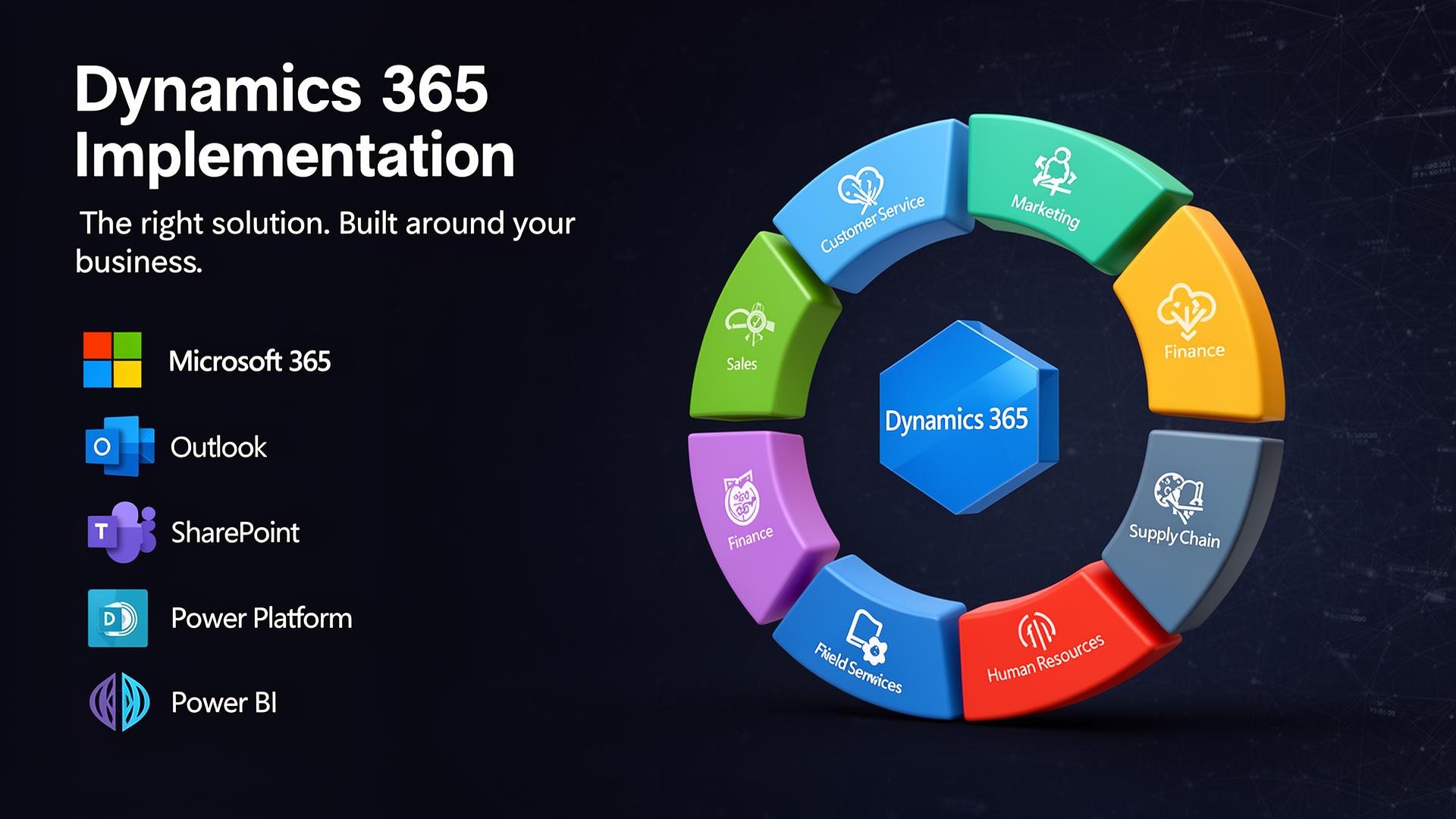
What is Dynamics 365?
Microsoft Dynamics 365 is a suite of business applications that supports sales, customer service, marketing and customer journeys, field service, finance and operations — depending on licensing and business need. It integrates closely with Microsoft 365, Outlook, Teams, SharePoint, Power BI and the wider Power Platform.
Most organisations only need a few of the apps. Part of a good implementation is identifying the right combination for your business rather than buying everything at once.
The main Dynamics 365 product areas
- Dynamics 365 Sales: leads, opportunities, accounts, contacts, sales activities, pipeline and forecasting.
- Dynamics 365 Customer Service: cases, queues, SLAs, knowledge articles and support processes.
- Dynamics 365 Customer Insights: customer journeys, segments, email and event journeys, marketing automation and engagement.
- Dynamics 365 Field Service: work orders, scheduling, engineers, appointments, assets and onsite service.
- Dynamics 365 Finance: accounting, budgeting, financial reporting and controls for larger or more complex organisations.
- Dynamics 365 Supply Chain Management: stock, procurement, warehousing, production and logistics.
- Dynamics 365 Human Resources: employee records, leave, benefits and people-related processes.
- Dynamics 365 Project Operations: project sales, resourcing, time, expenses, delivery and project financials.
What an implementation involves
A typical project includes discovery, solution design, configuration and customisation, security roles, data migration, integrations, automation, reporting, testing, training and go-live support — followed by a period of optimisation as users settle in.
Scope and timelines depend on your requirements, data quality, integrations, licensing and how the organisation adopts new ways of working. We are upfront about that rather than promising every implementation will be quick or simple.
The Dynamics 365 application family
Microsoft Dynamics 365 is a suite of business apps. Most organisations only need a few — Code8 helps identify the right fit.
Sales
Leads, opportunities, accounts, pipeline and forecasting.
Customer Service
Cases, queues, SLAs, knowledge and support workflows.
Customer Insights
Customer journeys, segments, marketing automation and engagement.
Field Service
Work orders, scheduling, engineers, assets and onsite delivery.
Finance
Accounting, budgeting, financial reporting and controls.
Supply Chain
Stock, procurement, warehousing, production and logistics.
Human Resources
Employee records, leave, benefits and people processes.
Project Operations
Project sales, resourcing, time, expenses and project financials.
Connects with the wider Microsoft ecosystem
Why choose this service
Joined-up customer data
A shared view of accounts, contacts, sales and service.
Better visibility across teams
Reporting and dashboards built on consistent data.
Improved sales and service
Structured pipelines, cases, SLAs and follow-up.
Microsoft 365 integration
Works alongside Outlook, Teams, SharePoint and Power BI.
Scalable platform
Add apps and capabilities as the business grows.
Right-sized scope
We help you pick only the apps and modules you actually need.
How it works
Discovery & requirements
Understand processes, pain points and priorities.
Solution design
Agree the data model, security and which Dynamics apps fit.
Configuration & customisation
Build the solution, including forms, views, automation and roles.
Data migration & integrations
Bring in data and connect to other systems where needed.
Testing & user acceptance
Validate the solution with the people who will use it.
Training & go-live
Role-based training and hands-on support at launch.
Post go-live optimisation
Refine, fix friction and plan the next improvements.
Frequently asked questions
Tell us about your project
Ready to discuss Dynamics 365 Implementation?
Start the guided enquiry form and tell us what you need help with — it only takes a couple of minutes.
Ready to talk about Dynamics 365 Implementation?
Get in touch and we'll show you how we can help.